
WebSocket to FFMPEG Streaming
Streaming technologies are evolving to accommodate real-time content delivery with minimal latency. A particularly innovative approach involves combining WebSockets with FFMPEG to enable client-side streams to be processed and forwarded to RTMP channels. This article will explore the concept, its setup, and the pros and cons of this technique.
Explore the Code:
GitHub Repository: chuabingquan/pxy 🎥 Proxy livestreams from WebSockets to RTMP.
🚀 How It Works

1. Browser Connects to WebSocket Server:
The browser streams video data through the WebSocket protocol to the server.
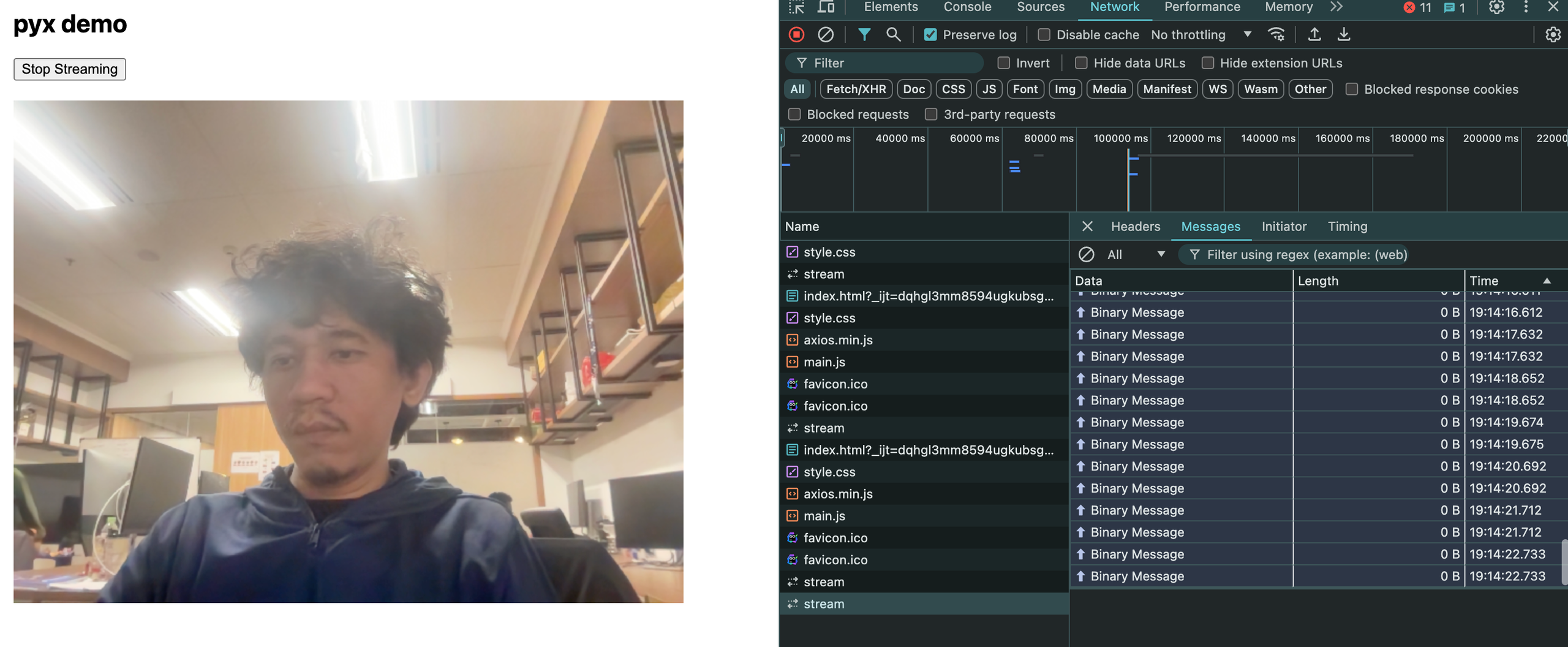
2. WebSocket Server Receives and Processes Data:
The server receives the WebSocket message, processes the data, and forwards it as an FFmpeg command to the RTMP channel.
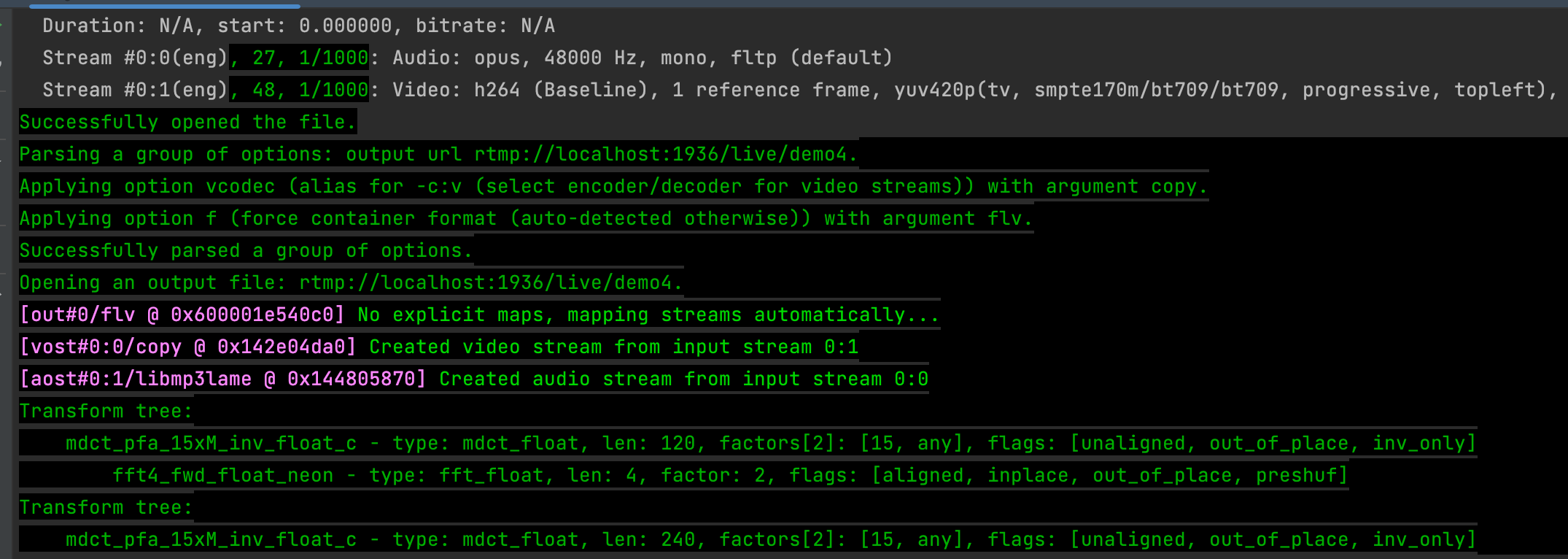
The ffmpeg command. FFmpeg receives the WebSocket input and streams it to an RTMP endpoint for live broadcasting.
ffmpeg -i - -vcodec copy -f flv -loglevel debug rtmp://localhost:1936/live/demo4
📺 Benefits
- 🟢 Ease of Use: Quickly establish a live streaming pipeline with WebSocket and FFmpeg.
- 🟢 Minimal Server Overhead: The server acts as a simple proxy, offloading encoding and streaming tasks to FFmpeg.
🔴 Limitations
- WebSocket Overhead: WebSockets can introduce latency when compared to direct RTMP input.
- Dependency on FFmpeg: Requires a working FFmpeg installation on the server.
🌟 Final Thoughts
Integrating WebSockets and FFmpeg for live streaming is an effective way to bridge browser-based video sources and RTMP endpoints.
Start streaming today and unlock new possibilities for browser-based live broadcasting!